Symbol
A symbol shape acts as a link, displaying a thumbnail of its target shapes.
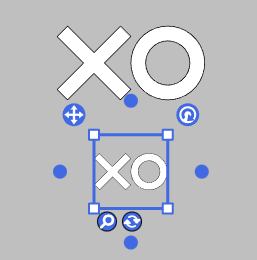
When you create a symbol shape, it generates and saves an SVG image in the workspace. All Symbol shapes that reference the same target shapes share this SVG image.
Creating a Symbol
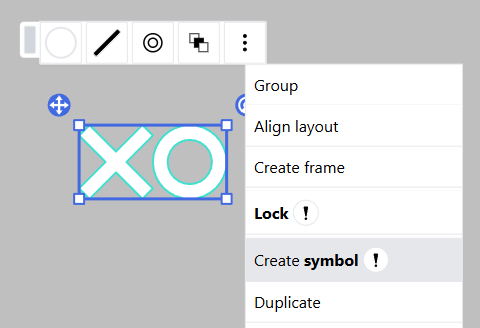
To create a symbol shape for selected shapes, choose Create symbol from the context menu.
Jumping to Target Shapes
You can quickly navigate to the target shapes by clicking the Jump button on the canvas.
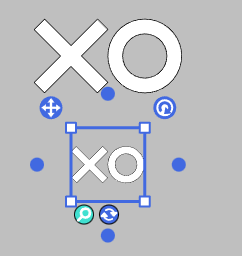
Note: Jumping is available only when both the target shapes and the symbol shape are on the same sheet.
Updating a Symbol
Symbol shapes do not automatically update to reflect changes in their target shapes. To refresh the thumbnail, manually click the Update button on the canvas,
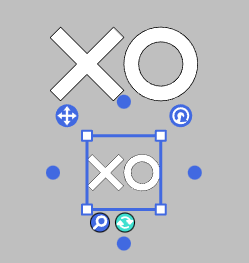
or select Update symbol from the context menu.
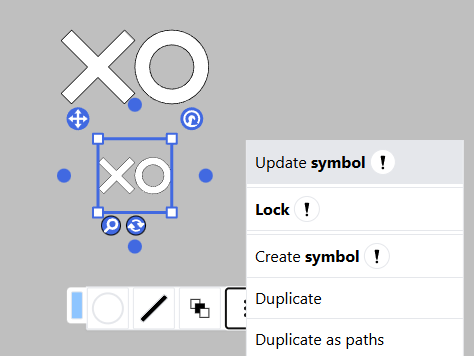
All symbol shapes referencing the same target will be updated simultaneously.
Note: Updating is only possible when both the target shapes and the symbol shape are on the same sheet.