Line attachment
Turn on / off
Line attachment functionality can be turned on / off in the setting panel.
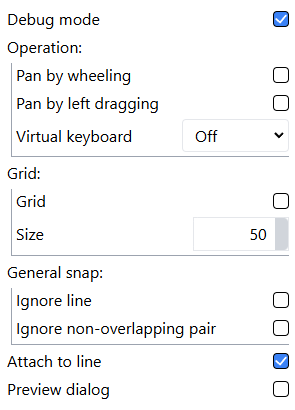
You can also change it by pressing a key while moving shapes.
Attach shapes to a line
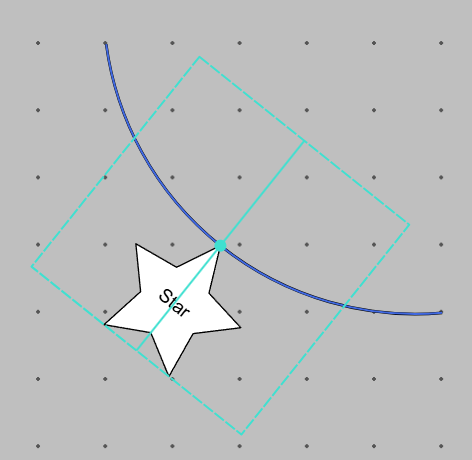
Shapes attach to a line when the anchor point is close to the line while moving.
The anchor point is at the center of the shape by default.
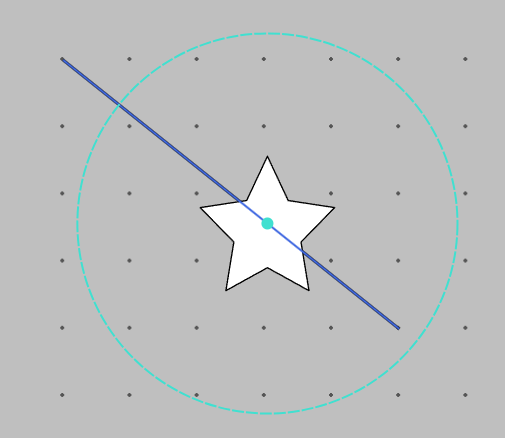
Attached shapes detach when the cursor gets away of the circle area around the anchor point while moving.
Properties
Attached shapes have some properties to adjust attachment behavior. These properties can be modified either directly in the canvas or in the inspector panel.
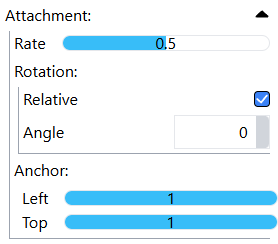
Rate
Rate determines where the shape attaches to on the line. It represents relative length of the line from its start to end.
Rotation
Attached shape changes its rotation along the line when Relative is on. When it's on, you can also change relative angle of the shape based on the line via Angle field.
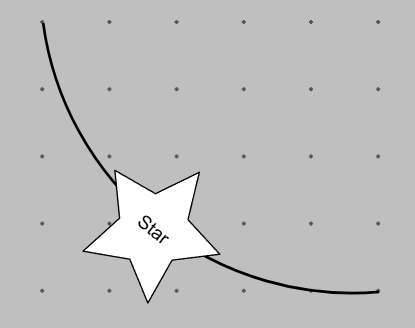
Anchor point
Anchor point determines where the shape attaches to the line based at. You can also change it in the canvas by Shift + Drag the attached shape.
Caveats
This functionality is pretty vertile and you can create complex dependency graph by attaching lines to shapes as well as shapes to lines. Hoever, there're some caveats due to its complexity.
Circuler dependency
Snapping result would be unstable when circuler dependency exists in an unit.
Performance
Application performance would get worse as dependency graph becomes deep and complex.